
Download Antivirus Guides For Your Devi – antivirus, spyware, malware protection, computer security, cybersecurity, online safety, digital privacy, text to speech, audiobook, educational tool
Overview
Key Features & Capabilities
- Educational Audiobook Content: Delivers structured lessons on malware, spyware, and antivirus protection in an accessible audio format.
- Comparative Analysis: Explains the distinctions between viruses and spyware, including their behaviors and impacts on system performance.
- Privacy Awareness: Highlights how spyware can collect personal information and affect online safety.
- Antivirus Program Overview: Reviews various types of antivirus software available in the market and their roles in system protection.
- System Stability Guidance: Discusses how antivirus tools help prevent crashes and maintain optimal computer function.
- Text-to-Speech Integration: Utilizes Android’s TTS engine to convert written content into spoken audio, enabling hands-free learning.
User Interface, Workflow & Performance
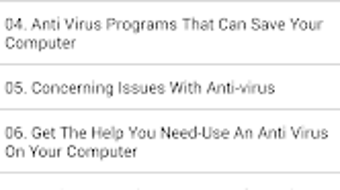
The user interface of Antivirus Guides For Your Devi is minimal and focused on audio playback. It likely features a simple layout with playback controls, chapter navigation, and a progress indicator. Navigation is expected to be straightforward, allowing users to start, pause, and skip through content. The workflow centers around listening to structured audio lessons, with no interactive exercises or visual media. Ease of use is enhanced by the reliance on Android’s Text-to-Speech engine, which reduces the need for complex user inputs. However, the developer did not specify performance details such as CPU or RAM usage. Performance observations are based on general software behavior patterns. The app is expected to run smoothly on devices with standard Android capabilities. Stability is likely consistent with other lightweight educational apps, though exact behavior was not disclosed. The developer did not provide information on update frequency or background processes.Compatibility & System Requirements
Antivirus Guides For Your Devi is designed for Android devices. The app has a file size of 25 MB, indicating it is lightweight and suitable for devices with limited storage. It requires an Android TTS (Text-to-Speech) engine to function, which is standard on most Android smartphones and tablets. The app does not specify a minimum Android version, so compatibility may vary across older or newer devices. The developer did not list exact system requirements, including RAM, processor, or storage space beyond the 25 MB file size. Compatibility information was partially provided. Users should ensure their device supports the Android TTS feature to access the full functionality. No other OS support was mentioned. The app is free to download and install, making it accessible to a broad audience. The developer did not indicate whether the app supports tablets, wearables, or other Android-based devices.Pros and Cons
Pros
- Free to download and use, making it accessible for budget-conscious users.
- Delivers educational content through audio, ideal for auditory learners.
- Focuses on practical cybersecurity knowledge relevant to everyday users.
- Lightweight at 25 MB, suitable for devices with limited storage.
- Uses Android’s built-in TTS engine, reducing dependency on third-party tools.
Cons
- Requires Android TTS, which may not be available or properly configured on all devices.
- Limited to audio delivery; no visual aids or interactive elements.
- Exact system requirements were not listed, which may affect compatibility.
- No information on update frequency or future content development.
- Content is static; no real-time threat updates or dynamic features.
FAQ Section
Is Antivirus Guides For Your Devi compatible with all Android devices?
The app requires Android TTS to function. While most modern Android devices support this feature, compatibility may vary depending on the device model and Android version.
Is the app safe to download and use?
Yes, the app is free and developed by Twayesh Projects. It does not require special permissions beyond those needed for audio playback and TTS functionality.
Can I use the app offline?
Yes, once downloaded, the app can be used without an internet connection, as the content is stored locally.
Does the app provide real-time antivirus protection?
No. The app is an educational tool and does not offer real-time malware scanning or system protection.
What type of license does the app use?
The app is free to use and distributed without a paid license. The developer did not specify a formal license type.





.png)

